Key takeaways
- V30: Guarantees 30 MB/s minimum. Enough for 4K at 60-100 Mbps (like DJI Mini 4 Pro, GoPro HERO12, Sony ZV-E10 in XAVC S 4K 60p).
- V60: Guarantees 60 MB/s minimum. Needed for 4K 120p or 4:2:2 10-bit at 200-300 Mbps.
- V90: Guarantees 90 MB/s minimum. Required for 6K/8K RAW, ProRes, or XAVC HS at 400-600+ Mbps on cameras like Sony A7S III, Canon EOS R5, Fujifilm X-H2S.
The best 1TB SD cards for most people in 2026 are the SanDisk Extreme Pro 1TB (UHS-I, V30), the Samsung PRO Plus 1TB (UHS-I, V30), and the Sony TOUGH-G 1TB (UHS-II, V90) if you shoot high-bitrate 4K/6K video, with the Kingston Canvas React Plus 1TB and Lexar Professional 1066x 1TB as strong UHS-II alternatives for faster offloads.
For home use, that breaks down simply: drones, mirrorless cameras, and handheld consoles all use SD cards, but they stress cards very differently. A Nintendo Switch or Steam Deck cares about random read speed and reliability, a DJI drone cares about sustained write and temperature endurance, and a 4K camera cares about guaranteed minimum write speed (the V-rating). Buying on advertised “up to 200MB/s” alone is how you end up with dropped frames or a card that throttles in summer heat.
Our top picks


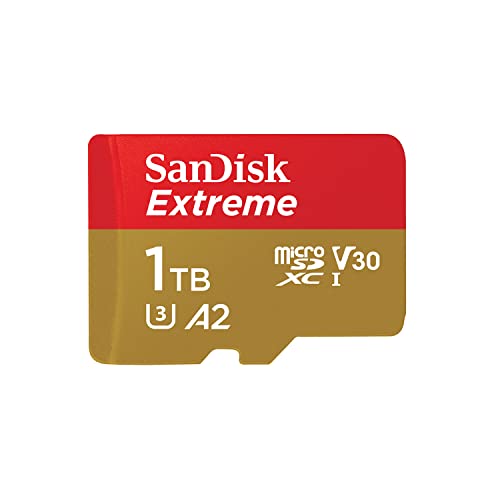
As an Amazon Associate we earn from qualifying purchases at no extra cost to you. Ratings are shown as listed on Amazon.
How to Choose a 1TB SD Card: Speed, Video Class, and Endurance Explained
Three specs actually matter, and they measure different things:
1. Sequential Speed vs. Real-World Speed
Brands advertise maximum sequential read/write under ideal lab conditions with a UHS-II reader. In a camera or drone with a UHS-I bus, you will never hit UHS-II speeds. Even on UHS-I, sustained write is typically 30-40% lower than the “up to” number once the card’s SLC cache fills.
2. Video Speed Class (V30 / V60 / V90)
This is the only guarantee that matters for video. It certifies a minimum sustained write speed, not a peak:
- V30: Guarantees 30 MB/s minimum. Enough for 4K at 60-100 Mbps (like DJI Mini 4 Pro, GoPro HERO12, Sony ZV-E10 in XAVC S 4K 60p).
- V60: Guarantees 60 MB/s minimum. Needed for 4K 120p or 4:2:2 10-bit at 200-300 Mbps.
- V90: Guarantees 90 MB/s minimum. Required for 6K/8K RAW, ProRes, or XAVC HS at 400-600+ Mbps on cameras like Sony A7S III, Canon EOS R5, Fujifilm X-H2S.
If your camera’s bitrate exceeds the V-rating, you will get a recording stop error even if the card says “170MB/s” on the front.
3. Endurance, Temperature, and Construction
1TB cards pack more NAND layers in the same tiny package, so heat and wear matter more than on 128GB cards. Look for:
- NAND type: Most 1TB consumer cards use 3D TLC NAND. Good balance of price and endurance. MLC is rarer and pricier but lasts longer.
- Endurance rating: Expressed as TBW (terabytes written) or hours of 4K recording. Few brands publish TBW for SD cards; SanDisk and Samsung typically rate their PRO lines for 10,000+ hours of Full HD/4K looping.
- Environmental specs: Operating range usually -25C to 85C, waterproof, shockproof, X-ray proof. Sony TOUGH series adds a one-piece molded resin and metal frame with no hollow seams, rated to 5m drops and bend-proof to 180N.
Best 1TB SD Cards Compared: Real Speeds and V-Ratings
Advertised speeds are misleading alone. The table below compares what manufacturers claim vs. the sustained performance you can realistically expect in a UHS-I device (like most drones and mirrorless cameras) and a UHS-II reader for offloads. Prices are general market ranges in 2026 and fluctuate with NAND supply.
| Card (1TB, SDXC) | Bus / Video Class | Advertised Read / Write | Real Sustained Write (in-camera, UHS-I bus) | Real Read on UHS-II Reader | Ideal For |
|---|---|---|---|---|---|
| SanDisk Extreme Pro 1TB | UHS-I, V30, U3, A2 | Up to 200 MB/s / 140 MB/s | 75-90 MB/s | 170-190 MB/s | 4K drones, action cams, Switch/Steam Deck |
| Samsung PRO Plus 1TB | UHS-I, V30, U3, A2 | Up to 160 MB/s / 120 MB/s | 70-85 MB/s | 150-160 MB/s | Everyday 4K, high endurance, handheld consoles |
| Samsung EVO Select 1TB | UHS-I, V30, U3, A1 | Up to 160 MB/s / 120 MB/s | 65-80 MB/s | 145-155 MB/s | Budget 4K, photo backup, secondary slot |
| Kingston Canvas React Plus 1TB | UHS-II, V60, U3 | Up to 300 MB/s / 260 MB/s | 85-95 MB/s (limited by UHS-I host) | 260-290 MB/s | Fast offloads, 4K 60p 10-bit |
| Lexar Professional 1066x 1TB | UHS-II, V60, U3 | Up to 160 MB/s / 120 MB/s* | 80-90 MB/s | 155-160 MB/s | Mid-range 4K, photographers needing UHS-II |
| Sony TOUGH-G 1TB (SF-G1T) | UHS-II, V90, U3 | Up to 300 MB/s / 299 MB/s | 90-95 MB/s (UHS-I host cap) | 285-300 MB/s | 6K/8K, 4K 120p, professional reliability |
*Lexar’s 1TB 1066x Silver variant is often listed at 160/120; the Gold version reaches 280/210 but is usually only available up to 512GB-1TB at higher cost. Check exact model suffix.
Which Card Should You Buy? Decision Matrix by Device
Match the card to the device’s bus and bitrate, not just to the biggest number on the package.
| Your Situation | What Matters Most | Pick This Type | Why |
|---|---|---|---|
| DJI Mini/Air/Mavic drone, GoPro, DJI Action | Sustained V30 write, heat/cold endurance, light weight | SanDisk Extreme Pro 1TB or Samsung PRO Plus 1TB (UHS-I V30) | Drones use UHS-I buses and record 100-150 Mbps 4K. V30 is sufficient, and these lines have the best thermal throttling control. UHS-II gives no in-flight benefit. |
| Mirrorless for 4K 30/60p 8-bit (Sony ZV-E10, Canon R7, Nikon Z50) | V30 minimum, A2 for photo bursts | Any UHS-I V30 1TB (Samsung PRO Plus, SanDisk Extreme Pro) | Bitrates are 60-200 Mbps. Sustained 70+ MB/s covers it. Save money over V90. |
| Mirrorless/cinema for 4K 120p, 4:2:2 10-bit, 6K (Sony A7 IV, A7S III, Canon R5, Fujifilm X-H2) | V60 or V90 guarantee | Kingston Canvas React Plus V60 or Sony TOUGH-G V90 | Bitrates hit 300-600 Mbps. V30 cards will stop recording. V60 covers most 4K 60p/120p; V90 is required for XAVC S-I 4K and ProRes. |
| Nintendo Switch, Switch OLED, Steam Deck (with SD slot), ASUS ROG Ally | Random read/IOPS, durability, value | Samsung PRO Plus or SanDisk Extreme Pro 1TB (A2-rated) | Consoles use UHS-I and rely on A2 random performance for game loads. Sequential write over 90 MB/s is wasted. Prioritize A2 and endurance. |
| Home backup / living room media storage for TV/projector | Price per TB, reader speed for transfers | Samsung EVO Select 1TB or SanDisk Ultra 1TB (V30) | No sustained video pressure; faster offload via UHS-II reader is nice but not required. |
Material and Construction Trade-offs: Why Some 1TB Cards Cost More
All 1TB SD cards look identical, but the build differences affect failure rates, especially when you leave cards in a hot car, drone bag, or near a fireplace media console.
| Feature | Standard Resin Card (Most UHS-I cards) | Rugged Monolithic Card (Sony TOUGH-G) |
|---|---|---|
| Shell | Two-piece hollow plastic, seams, exposed contacts, write-protect switch | One-piece molded monolith, no seams, no switch to break, IP68 waterproof |
| Bend / Drop Resistance | 10N bend, 1.5m drop typical | 180N bend, 5m drop rated |
| Usual NAND | 3D TLC, 5-year limited warranty | 3D TLC with higher-grade controller, 5-year to lifetime warranty depending on region |
| Typical Price Range (1TB) | Usually $110–$160 | Usually $220–$320 |
| Downside | Switch can jam, seams can split with heat cycling | Expensive, no write-protect switch (pro or con), overkill for console storage |
For most home furniture setups where cards live in a drawer or media cabinet, a standard card is fine if you store it in a hard case. Choose TOUGH-style construction if you frequently swap cards outdoors, fly drones in winter, or shoot on a gimbal where drops are likely.
Practical Tips to Avoid Fake Speed and Lost Footage
- Check your device’s bus before paying for UHS-II. If your camera or drone spec sheet lists “SD UHS-I compatible,” a V90 UHS-II card will still be capped at ~95 MB/s inside the device. You are paying for faster transfers on a UHS-II reader only. For many homes, that offload speed is worth it if you dump 500GB+ of 4K to a NAS.
- Format in-camera, not on a computer. In-camera formatting aligns the exFAT allocation size to the controller. Formatting on a PC or Mac can reduce sustained write by 10-15% and cause fragmentation stutters on long clips.
- Leave 10-15% free. 1TB TLC cards slow significantly when over 90% full because there is less SLC cache and free blocks for wear leveling. If you shoot long events, offload at 850GB rather than filling to 1024GB.
- Think about card reader and furniture placement. A UHS-II reader needs USB 3.1 Gen 1 or faster to hit 250+ MB/s. Plugging a 300 MB/s reader into a TV’s USB 2.0 port or a front-panel hub hidden in a closed cabinet will cap you at 35-40 MB/s and trap heat. Use a rear motherboard port with airflow.
- For consoles, don’t chase V90. The Nintendo Switch caps SD read around 95 MB/s regardless of card. An A2-rated V30 card loads games identically to a V90 card for usually $80–$120 less.
How Long Will a 1TB Card Last?
Endurance is not officially rated on most SD cards like it is on SSDs, but you can estimate. A 1TB TLC card with ~600-1000 TBW (typical for PRO-tier cards) would handle roughly 3,000-5,000 full overwrite cycles of 200GB of 4K footage before NAND wear becomes a concern. In practice, the controller or physical damage fails long before NAND wears out for home use.
What actually kills cards at home: cheap adapters that bend pins, static discharge when handling cards on fabric sofas or carpets in winter, and storing cards loose in a drawer where contacts corrode. Keep cards in a hard, anti-static case away from direct sunlight and heaters. If a card ever throws a single write error in-camera, retire it from important shoots — intermittent errors almost always get worse.
Bottom Line for Home Use
If you want one safe 1TB card that covers drones, 4K cameras at standard bitrates, and a handheld console, the Samsung PRO Plus 1TB or SanDisk Extreme Pro 1TB (UHS-I V30, A2) offers the best balance of sustained speed, endurance, and price, usually $110–$160. Only step up to Kingston Canvas React Plus (V60) or Sony TOUGH-G (V90) if you regularly record 4K 120p, 10-bit 4:2:2, or 6K, where the guaranteed minimum write is non-negotiable, or if you need the fastest possible offloads to a home workstation.