Key takeaways
- Measure the corner, not the desk: Note both wall runs and any baseboard, radiator, or outlet that will stop the desk from sitting flush. A 63-inch L-shape needs roughly 63 inches along one wall and the return length along the other, plus a few inches of clearance for cable routing behind.
- Confirm reversibility before you buy: Most L-shaped desks in this category assemble left- or right-handed, which matters enormously if your window, door, or outlet sits on a fixed side. Reversible models let you rearrange later without buying a second desk.
- Match desktop depth to your monitors: Anything under 24 inches deep will put a 27-inch display uncomfortably close to your eyes. If the listed depth is narrow, plan on a monitor arm or a riser to reclaim viewing distance and clear the surface underneath.
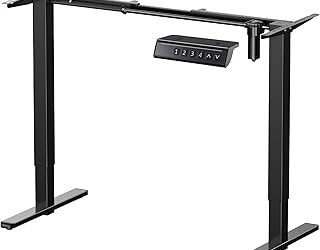
- Decide between storage and standing: Hutches, shelves, and cabinets are genuinely useful in small rooms, but they anchor the desk at a fixed height. Height-adjustable frames give you posture flexibility instead. Very few desks deliver both well, so choose the feature you will actually use every day.
- Look for a steel frame and a thick top: Metal legs with cross-bracing plus a laminate top of around 1 inch resist the wobble that shows up under keyboard pressure. Adjustable leveling feet are a small detail that saves you from a rocking desk on uneven flooring.
What's inside
Corners are the most under-used real estate in a home office. That empty right angle behind the door, the awkward nook beside a window, the dead zone where two walls meet in a bedroom that now doubles as a workspace: a corner desk turns all of it into working surface without pushing furniture into the middle of the room. The trouble is that shopping for one means wading through listings that all promise “spacious” and “modern” while hiding the details that actually matter, like whether the return can flip to the other side, how much depth you get for a dual-monitor setup, and whether the particleboard will sag in a year.
This guide narrows the field to six corner desks worth considering in 2026, spanning a motorized sit-stand L-shape, a compact triangular unit with a hutch, and several storage-heavy builds aimed at gaming and small-room setups. Below you will find the picks themselves, a short buying framework covering the specs that make or break daily use, individual notes on the top five, and answers to the questions that come up most often once a desk is actually in the room.
As an Amazon Associate we earn from qualifying purchases.


How to Choose a Corner Desk in 2026
- Measure the corner, not the desk: Note both wall runs and any baseboard, radiator, or outlet that will stop the desk from sitting flush. A 63-inch L-shape needs roughly 63 inches along one wall and the return length along the other, plus a few inches of clearance for cable routing behind.
- Confirm reversibility before you buy: Most L-shaped desks in this category assemble left- or right-handed, which matters enormously if your window, door, or outlet sits on a fixed side. Reversible models let you rearrange later without buying a second desk.
- Match desktop depth to your monitors: Anything under 24 inches deep will put a 27-inch display uncomfortably close to your eyes. If the listed depth is narrow, plan on a monitor arm or a riser to reclaim viewing distance and clear the surface underneath.
- Decide between storage and standing: Hutches, shelves, and cabinets are genuinely useful in small rooms, but they anchor the desk at a fixed height. Height-adjustable frames give you posture flexibility instead. Very few desks deliver both well, so choose the feature you will actually use every day.
- Look for a steel frame and a thick top: Metal legs with cross-bracing plus a laminate top of around 1 inch resist the wobble that shows up under keyboard pressure. Adjustable leveling feet are a small detail that saves you from a rocking desk on uneven flooring.
The Best Corner Desks of 2026, Reviewed
Casaottima 63″ L-Shaped Electric Standing Desk
The standout here is the electric height adjustment on an L-shaped footprint, which is still uncommon at this size and price. The reversible design and clean white finish make it the most flexible pick for anyone who works long hours and wants to alternate between sitting and standing without giving up corner efficiency.
DurayLoly 63″ Triangular Corner Desk with Hutch
The true triangular shape tucks tighter into a corner than a conventional L, and the 36-inch-wide desktop leaves room for a monitor plus paperwork. The hutch, fabric drawers, and lower wooden shelves make this the best choice for a small bedroom or dorm where the desk has to serve as your only storage furniture.
Tribesigns 55″ Reversible L-Shaped Desk
At 55 inches, this is the most apartment-friendly footprint of the group, and the wood-and-metal construction reads more like intentional furniture than office equipment. The included monitor stand and side shelving handle the essentials, though the single drawer means you will want a nearby cabinet if you keep a lot of files.
SEDETA 58″ L-Shaped Desk with 3 Drawers and Bookshelf
Three drawers plus an integrated bookshelf give this one the best storage-to-footprint ratio in the lineup, and the LED lighting adds ambient glow without a separate lamp. The black finish hides cables and wear well, making it a practical pick for a shared or high-traffic room.
SEDETA L-Shaped Gaming Desk with Hutch and Pegboard
This is the most fully equipped gaming option, pairing a reversible L-shape with a pegboard for headsets and controllers plus a built-in power outlet that eliminates a floor strip. The hutch and shelves keep peripherals off the working surface, which is the whole point when you are running a multi-monitor setup in a small space.
Frequently Asked Questions
How much space does a corner desk actually save?
A corner desk gives you more usable surface per square foot of floor than a rectangular desk of the same total area, because it occupies space you were already losing to the corner. In a 10-by-10 room, that often means the difference between a walkable layout and a cramped one.
Can I put a corner desk against a flat wall instead?
Yes. Most L-shaped models work fine along a single wall, with the return jutting out to create a peninsula. You lose the space-saving benefit but gain a natural divider, which works well in studio layouts.
Will these desks hold two or three monitors?
Most will hold two comfortably on the long run. For three, prioritize a wider top like the 63-inch models and use a clamp-on monitor arm rather than stands, since the mounting edge needs to be accessible and the desktop thick enough to grip securely.
How difficult is assembly?
Expect one to two hours for a storage-heavy model with shelves and drawers, and somewhat less for a simple frame-and-top design. Electric standing desks add cable connections but are otherwise straightforward. Assembling in the room where the desk will live saves you from maneuvering a finished L-shape through a doorway.
Final Thoughts
If your priority is long-term comfort, the Casaottima 63-inch electric standing desk is the pick that adapts to how you work rather than the reverse. For small rooms where the desk needs to carry all your storage, the DurayLoly triangular model with its hutch and shelving is the most efficient use of a corner you will find. Gamers and multi-monitor users should look hard at the SEDETA L-shaped desk with the pegboard and integrated outlet, which handles cable and peripheral clutter better than anything else here.