Our Top Picks
 6000 Sq.Ft. Energy Star Dehumidifier for BasementLarge13.62 x 10.47 x 19.57 inches30.9 PoundsCheck on Amazon
 Manastin 2500 sq.ft Dehumidifier for Basement35PINT9.21 x 12.18 x 20.21 Inches22.41 poundsCheck on Amazon
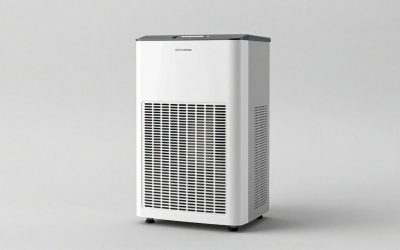
 ALORAIR Smart Wi-Fi 70 Pints Crawlspace Dehumidifier withSentinel HD35P Wifi15.2 x 11.2 x 11.4 inches38.18 PoundsCheck on Amazon
 ALORAIR Smart Wi-Fi 120 Pints Energy Star CrawlspaceSentinel HD55S Wifi19.2 x 12.2 x 13.3 inches41.7 poundsCheck on Amazon
A connected dehumidifier makes sense in one situation above all: the unit lives somewhere you rarely stand, and you want to know what the air down there is doing without walking down. For that job, the GoveeLife listing is our pick among the eight below, because its title is the one that names WiFi, smart auto humidity control, a compressor, a 2.0 gallon bucket, a drain hose and auto shut-off together. The DREO pair is the value route, ALORAIR covers crawlspaces, and one listing, the Midea, is included as a plain-control reference point because its title mentions no smart features at all.
App control does not remove a single extra pint from the air. It changes who is in charge of the schedule. So this page leans on the questions a spec sheet skips: what to check about connectivity, what a humidity log is good for, and what to do when the network fails.
All eight at a glance
6000 Sq.Ft. Energy Star Dehumidifier for Basement, Max 100Pint/Day Smart WiFi Dehumidifier with Drain Hose, Voice & APP Control, Adjustable Humidistat for Home, Bedroom, Bathroom, Garage(White Gray)


As an Amazon Associate we earn from qualifying purchases. Product prices and availability are accurate as of the date/time indicated.

DREO 4500 Sq Ft Smart Dehumidifier, 1.85 Gal Water Tank, Energy Star 2025 | Max 75 Pint Dehumidifier for Basement, Home & Large Room, Quiet 41dB, Drain Hose, Auto Humidity Control, 3 Fan Speeds,Timer


As an Amazon Associate we earn from qualifying purchases. Product prices and availability are accurate as of the date/time indicated.
Manastin 2500 sq.ft Dehumidifier for Basement, Update Smart APP WiFi Control,35 Pint Dehumidifiers for Home with Drain Hose, 24H Timer & Child Lock, Quiet & Eco, Ideal for Large Rooms, Bedroom


As an Amazon Associate we earn from qualifying purchases. Product prices and availability are accurate as of the date/time indicated.
ALORAIR Smart Wi-Fi 70 Pints Crawlspace Dehumidifier with Pump Compact Unit | APP Control, Auto Defrost, High Capacity, 1,000 Sq. Ft., with Drain Hose, for Basement, Commercial, 6-Year Limited Warranty


As an Amazon Associate we earn from qualifying purchases. Product prices and availability are accurate as of the date/time indicated.

GoveeLife Dehumidifier for Home 4,500ft², 50 to 137 Pints, 2.0Gal Bucket | Smart Auto Humidity Control, Drain Hose, Compressor Dehumidifiers for Basement with Auto Shut Off, Bathroom, Garage, WiFi


As an Amazon Associate we earn from qualifying purchases. Product prices and availability are accurate as of the date/time indicated.
ALORAIR Smart Wi-Fi 120 Pints Energy Star Crawlspace Dehumidifier


As an Amazon Associate we earn from qualifying purchases. Product prices and availability are accurate as of the date/time indicated.

DREO Energy Star 2025 Smart Dehumidifier for Basement, 1.85 Gal Water Tank | 75 Pints, Quiet 41dB, for Home & Large Room up to 4500 Sq Ft, Drain Hose Included, Auto Humidity Control, 3 Fan Speeds, Timer


As an Amazon Associate we earn from qualifying purchases. Product prices and availability are accurate as of the date/time indicated.

Midea 22 Pint Dehumidifier for Basement, 1,500 Sq. Ft, Energy star


As an Amazon Associate we earn from qualifying purchases. Product prices and availability are accurate as of the date/time indicated.
| Model (brand) | Key spec from the title | Smart features named in the title | Price tier | Best for |
|---|---|---|---|---|
| GoveeLife (50 to 137 pints) | 4,500 sq ft, 2.0 gal bucket, compressor | WiFi, smart auto humidity control | Mid-range | Most basements wanting remote visibility |
| boglvr (max 100 pint/day) | 6,000 sq ft, Energy Star, drain hose | Smart WiFi, voice and app control, adjustable humidistat | Mid-range | Large spaces, voice-control fans |
| DREO (max 75 pint) | 4,500 sq ft, 1.85 gal tank, 41 dB | Smart, auto humidity control, timer | Budget | Quiet operation in living areas |
| DREO (75 pints, second listing) | 4,500 sq ft, 1.85 gal tank, 41 dB | Smart, auto humidity control, timer | Budget | Same use as above; compare listings |
| Manastin (35 pint) | 2,500 sq ft, drain hose | Smart app WiFi control, 24H timer, child lock | Budget | Bedrooms and smaller rooms |
| Midea (22 pint) | 1,500 sq ft, Energy Star | None named | Budget | Small, lightly damp spaces |
| ALORAIR (70 pints) | Crawlspace, pump, 1,000 sq ft, auto defrost | Smart Wi-Fi, app control | Premium | Crawlspaces and job sites |
| ALORAIR (120 pints) | Energy Star, crawlspace | Smart Wi-Fi | Premium | The dampest, largest spaces |
Price tier is relative to this set: the four lowest-priced listings are Budget, the next two Mid-range, the two highest Premium. A feature appears in the table only if the title names it. Where the title is silent, the product block says “check the listing.”
Smart units for whole basements and big rooms
These four are sized for the open, damp spaces that most people mean when they search for a connected dehumidifier. All four titles mention a drain hose, which matters more than any app feature: a unit that cannot drain itself will stop when the tank fills, and no notification fixes that.
GoveeLife Dehumidifier for Home 4,500ft2, 50 to 137 Pints, 2.0 Gal Bucket
This is the listing whose title is the most complete on connectivity: WiFi, smart auto humidity control, a drain hose, a compressor and auto shut-off, with a 2.0 gallon bucket. It sits in the Mid-range tier of this set, and it is our pick for most buyers.
The unusual part is the capacity wording, “50 to 137 pints.” A range like this usually reflects different rating conditions, with the low end the more conservative figure. The title does not say which is which, so open the listing and find the conditions. For planning, treat the low end as the realistic number for a cool basement, and the high end as what a warm, humid room might deliver.
The bucket gives you a useful estimate. Two gallons is 16 pints. At a 50 pint per day rate, which is about 2.1 pints an hour, a full bucket takes roughly 7.7 hours to fill. At the 137 pint rate, about 5.7 pints an hour, it fills in under 3 hours. Those are estimates based on the title’s own numbers, and they show why the drain hose is not optional for unattended use.
The power draw is not in the title. A compressor unit in this capacity class typically uses somewhere between 500 and 800 W while running, which is an estimate, not a statement from the listing.
Pros
- Title names WiFi, auto humidity control and auto shut-off in one line.
- A compressor design is stated, which suits typical basement temperatures.
- Drain hose plus a 2.0 gallon bucket gives both continuous and manual options.
Cons
- The 50 to 137 pint range is wide; the rating conditions are not in the title.
- Noise level, Energy Star status and pump support are not stated.
- Gravity drainage only, as far as the title says, so the drain must sit below the unit.
Who it’s for: a household with a basement or garage that wants remote visibility from a unit with the most connectivity detail in its title.
boglvr 6000 Sq.Ft. Energy Star Smart WiFi Dehumidifier, Max 100 Pint/Day
The title packs in a lot: 6,000 square feet, Energy Star, a maximum of 100 pints a day, smart WiFi, a drain hose, voice and app control, and an adjustable humidistat. It is Mid-range in this set, priced above the DREO pair and below the ALORAIR units.
Two phrases deserve a second look. “Max 100 pint/day” is a best-case figure, so expect real output at cooler or drier conditions to be lower. And “6000 sq ft” is a coverage claim that should be read against the pints: 100 pints across 6,000 square feet is about 17 pints per 1,000 square feet, a moderate ratio. For a very damp 6,000 square foot basement you would want more headroom; for a lightly damp one it is plenty.
The voice control is the differentiator. The title says “Voice & APP Control” but not which voice assistants are supported. That is a “check the listing” item, and worth settling before you buy if you already own a speaker ecosystem. An adjustable humidistat is a quiet advantage: you can set the target on the unit itself and keep the app as a convenience.
The title does not state technology (compressor or desiccant), tank size or noise. Given the capacity class, a compressor design is the likely assumption, but treat it as an assumption until the listing confirms it.
Pros
- Large stated coverage (6,000 sq ft) and a high maximum rating (100 pints a day).
- Voice and app control named in the title, plus an adjustable humidistat.
- Energy Star is named, which is useful if running cost matters.
Cons
- The maximum rating is a best-case number; real output will be lower in cool rooms.
- Tank size, noise and supported voice assistants are not in the title.
- App support and update details are not in the title, so read the listing’s support section.
Who it’s for: someone with a large open basement who wants voice and app control and a humidistat they can set on the unit.
DREO 4500 Sq Ft Smart Dehumidifier, 1.85 Gal Water Tank, Max 75 Pint
This DREO listing is the value pick. Its title states 4,500 square feet, a 1.85 gallon tank, Energy Star, a maximum of 75 pints, 41 dB operation, a drain hose, auto humidity control, three fan speeds and a timer. It sits in the Budget tier of this set.
The title says “Smart,” but it does not spell out WiFi or an app. That is a reasonable reading of the word, but it is a reading, so confirm connectivity and any voice-assistant support on the listing. What the title does state clearly is the part of a dehumidifier you live with every day: 41 dB is a low figure for the category and suggests a living-area unit rather than a utility-room machine, though how that figure was measured is not in the title.
The tank math: 1.85 gallons is about 14.8 pints. At a 75 pint per day rate, roughly 3.1 pints an hour, a full tank takes around 4.7 hours at the best-case rate. In a cool room with a lower real rate, it lasts longer. Either way, the included drain hose lets you skip that cycle.
Three fan speeds and a timer give you simple tuning without the app: run it on low overnight for quiet, and on high during the day. Estimated power draw for a 75 pint class compressor unit is around 600 to 800 W while running; the title does not say.
Pros
- 41 dB stated, with three fan speeds for quiet operation.
- Energy Star named, plus a drain hose and a timer.
- Budget tier for a 75 pint class listing.
Cons
- “Smart” is stated but WiFi and app details are not spelled out in the title.
- 1.85 gallon tank fills in about five hours at the best-case rate.
- No pump named; drainage is by gravity hose.
Who it’s for: a budget-minded household that wants a quiet, large-room unit and will confirm the smart features on the listing.
DREO Energy Star Smart Dehumidifier, 1.85 Gal Tank, 75 Pints, Second Listing
This is a second DREO listing with almost the same title: Energy Star, 1.85 gallon tank, 75 pints, 41 dB, up to 4,500 square feet, drain hose included, auto humidity control, three fan speeds and a timer. It is also in the Budget tier, priced within a few cents of the first.
The reasonable question is whether these are the same machine under two listings. The titles suggest yes, but the product data lists two different identifiers, and a title is not proof. Differences could sit in color, bundled parts, the seller, or the model revision, none of which show in the title. If you are shopping between the two, open both, compare the model numbers, the manual links and the stated return terms, and pick the one whose page is clearer about connectivity.
That duplicate-listing check is a habit worth building for any smart appliance. Unlike a basic unit, a connected device depends on an app and a cloud service, and the app is usually tied to a model. A listing that names the app, the supported platforms and the minimum phone software is worth more than a cheaper one that does not.
On specs, everything from the first DREO block applies here: roughly 4.7 hours to fill the tank at the best-case 75 pint rate, an estimated 600 to 800 W while running, and gravity drainage via the hose. The title says “up to 4500 sq ft” for “home and large room,” which is a ceiling for lightly damp spaces, not a promise for a wet basement.
Pros
- Same low-noise, 75 pint class profile as the first DREO listing, at a Budget price.
- Drain hose is explicitly “included” in the title.
- Auto humidity control, three fan speeds and a timer.
Cons
- Near-duplicate of another listing, so you need to verify the model yourself.
- Smart and app details are not spelled out in the title.
- No pump named; the drain must sit below the unit.
Who it’s for: a buyer who has already decided on the DREO profile and is willing to compare the two pages before ordering.
Smaller rooms, and a plain-control reference point
Not every damp room needs 4,500 square feet of coverage. A bedroom, an office or a small apartment is better served by a smaller, quieter unit, and the smaller class is where the price of adding WiFi is the easiest to judge. If you are sizing for a tightly built small space, our mobile home dehumidifier sizing guide works through the numbers at this scale.
Manastin 2500 Sq.Ft. Dehumidifier, Smart APP WiFi Control, 35 Pint
This is the lowest-priced listing in the set, which places it in the Budget tier. The title names smart app WiFi control, 35 pints, 2,500 square feet, a drain hose, a 24 hour timer, a child lock and “quiet and eco” operation, and points to large rooms and bedrooms.
The 35 pint rating is the practical constraint. As a rule-of-thumb estimate, 35 pints suits a moderately damp space of 1,000 to 1,500 square feet; the 2,500 square foot figure in the title is a ceiling for lightly damp conditions. In a bedroom that gets stuffy overnight, the capacity is comfortable. In a musty basement, expect the unit to run for long stretches.
The child lock is worth thinking about in two ways. On a unit with buttons, it stops a toddler from changing the target. If the app can also lock settings remotely, that is a convenience, but the title does not say, so check. The 24 hour timer is a basic scheduling function that does not depend on the network at all, which is a useful fallback when the router is down.
“Update Smart APP” in the title is an awkward phrase and suggests a revised app version. Confirm which app it uses, which phones it supports and whether you need an account. Power is not stated; an estimate for this class is around 300 to 450 W while running.
Pros
- Lowest-priced listing here, with app WiFi control named.
- Drain hose, 24 hour timer and child lock in the title.
- Right-sized for bedrooms and moderately damp rooms.
Cons
- 35 pints is modest for a wet basement, despite the 2,500 square foot coverage figure.
- App details, noise level and Energy Star status are not stated.
- Gravity drain only as far as the title says.
Who it’s for: a budget buyer with a bedroom or small damp room who wants remote control without paying for a large unit.
Midea 22 Pint Dehumidifier for Basement, 1,500 Sq. Ft, Energy Star
The Midea listing is here as a counterweight. Its title names 22 pints, 1,500 square feet and Energy Star, with a basement use case, and says nothing about WiFi, an app or a smart control. It is in the Budget tier of this set.
Including it is deliberate. If you are weighing a connected unit against a basic one, you need a baseline. The Midea shows what the plain version looks like: a small capacity, an efficiency label, and manual controls. The question for your own space is whether you would ever open the app. A small, lightly damp basement or closet where you walk past the unit several times a week might not need remote monitoring, and the money saved can go toward a bigger tank or better drainage.
The capacity math is simple. 22 pints a day is a small number: it suits a lightly damp space and can fall short in a wet one. As an estimate, a 22 pint compressor unit draws around 250 to 350 W while running. Energy Star status is named in the title, which is the strongest efficiency signal among the smaller models here.
A basic unit also has a simpler failure story. With no network, there is nothing to disconnect. If you want a connected device later, a separate plug-in smart plug does not replace a humidistat, so think of the Midea as a basic-control choice, not a smart one you can retrofit.
Pros
- Energy Star named in the title.
- No connectivity to maintain, update or lose.
- Budget-tier price in a basement-labeled unit.
Cons
- No smart or app features named in the title.
- 22 pints is small for a wet or large space.
- Drain method, tank size and noise are not stated.
Who it’s for: someone with a small, lightly damp space who wants a baseline and would not use an app.
Crawlspace-focused smart units
The two ALORAIR listings are different animals. Their titles lean toward crawlspaces and commercial settings, and both state Smart Wi-Fi. In a crawlspace the unit is out of sight and hard to reach, which is the strongest argument for remote monitoring. For basement installs where a pump matters, the broader guide to pump-equipped basement dehumidifiers sets these against alternatives.
ALORAIR Smart Wi-Fi 70 Pints Crawlspace Dehumidifier with Pump
This title is long on features: Smart Wi-Fi, 70 pints, crawlspace use, a pump, a compact unit, app control, auto defrost, high capacity, 1,000 square feet, a drain hose, basement and commercial use, and a 6-year limited warranty. It is in the Premium tier of this set.
The details line up with the use case. Crawlspaces are cold, which is why auto defrost matters: a compressor coil can ice up at low temperatures, and a unit that manages defrosting keeps working where a basic one stalls. The pump matters because a crawlspace has no convenient sink, and the pump lets the water leave through a hose.
Notice the coverage number: 70 pints for 1,000 square feet. That ratio, about 70 pints per 1,000 square feet, is far higher than the large-room units above, and it reflects the idea that a crawlspace is very wet and heavily ventilated by the ground. It is a different design target, not a smaller room.
The warranty is a title statement: “6-Year Limited Warranty.” The terms, what is covered and who services it are on the listing, not in the title, so read them before relying on it. Power draw is not stated; as an estimate for a 70 pint class unit with a pump, plan on about 600 to 800 W while running.
Pros
- Auto defrost, pump, drain hose and app control named in one title.
- Crawlspace-oriented design with a stated 1,000 sq ft coverage.
- 6-year limited warranty stated in the title (read the terms).
Cons
- Premium-tier price for a 70 pint unit.
- Small stated coverage, so it is not a whole-basement unit.
- Operating temperature range and noise are not in the title.
Who it’s for: an owner of a damp crawlspace who wants remote monitoring and pump drainage from a unit built for that environment.
ALORAIR Smart Wi-Fi 120 Pints Energy Star Crawlspace Dehumidifier
The second ALORAIR title is short: Smart Wi-Fi, 120 pints, Energy Star and crawlspace. It is the highest-priced listing in the set, in the Premium tier, and its title leaves out the pump, coverage figure and defrost detail that the 70 pint listing states.
Take the gap as a to-do list. Before ordering, open the listing and answer five questions: Does it include a pump? What is the stated coverage? Does it have auto defrost? What is the minimum operating temperature? What are the dimensions and weight? A 120 pint unit is a substantial machine, and crawlspace access can be a tight squeeze.
What the title does give you is a high capacity and Energy Star status. At 120 pints a day, the best-case rate is 5 pints an hour, so even a larger bucket would fill in a few hours at full output; for that reason this class is normally plumbed to a drain or pump. That is an estimate from the title’s number, and the real rate will be lower in cold conditions.
This is the model for the dampest and largest spaces on the list, where the 70 pint unit would run constantly. It is overkill for a bedroom. Estimated power draw is in the high hundreds of watts while the compressor runs, which makes the Energy Star label relevant to running cost.
Pros
- Highest stated capacity in the set at 120 pints.
- Smart Wi-Fi and Energy Star both named in the title.
- Crawlspace orientation suits hard-to-reach installs.
Cons
- Highest price in the set, Premium tier.
- Title omits the pump, coverage and defrost details.
- Size and weight are not stated and likely matter in tight crawlspaces.
Who it’s for: someone with a large, very wet crawlspace or utility space who has confirmed pump and defrost details on the listing.
How we picked these
This page was written by the Editorial team from published specifications, manufacturer documentation and buyer reviews. Nobody on the team used or measured these units. Every feature we attribute to a model comes from the wording of its listing title, and every number we calculate is labeled as an estimate with its basis shown.
Selection followed one rule: list the connected dehumidifiers whose titles name WiFi, smart or app features, and add one plain model as a baseline. We ordered them by room size, from whole basements to small rooms to crawlspaces, because capacity decides whether a dehumidifier works and connectivity only changes how you manage it. We did not guess at features a title leaves out; where the DREO titles say “smart” without naming WiFi, we say so.
Because smart features depend on software, we also looked for what a title cannot show: app quality, update support and cloud reliability. Those are the parts of this category where a spec sheet cannot help you, so the sections below turn them into questions you can answer on the listing page.
What a WiFi connection adds, and what it does not
Connectivity is a layer on top of the same drying hardware. The compressor, coil and fan do the work; the app changes how you watch and control them. Here is what the layer can reasonably offer, in general terms, along with the caveats.
Remote monitoring
The clearest benefit is seeing the room’s humidity reading and whether the unit is running, from anywhere. For a basement you visit once a week, or a second home, that turns a guess into a number. Remember that the reading comes from a small sensor on the unit itself, so it tells you about the air at that spot, not the whole space. If the sensor sits near the exhaust, it can read lower than the room.
Scheduling
Timers and schedules let you concentrate drying in the hours you care about, such as running overnight in a bedroom, or avoiding peak electricity hours if your utility has time-of-use rates. Two of the titles mention a timer. A device-level timer works without the network, while an app schedule may depend on it, so find out which kind you are getting.
Humidity logging
A history of readings is the most underrated feature, if the app provides it. It shows you the time of day humidity spikes, how long the unit takes to pull the room down, and whether the target is set too low. The worked example below shows how to use one.
Voice control
Voice commands are convenient for toggling modes, but they add little over an app for a device that runs on a setpoint. One title mentions voice control; the supported assistants are not stated, so check before you buy for an existing speaker setup.
What it does not add
It does not add capacity, it does not fix a poor drain arrangement, and it does not replace the on-unit humidistat. A connected unit with a bucket and no hose will still stop when the bucket is full. If a leak or a closed vent is the cause of the moisture, an app will show you the symptom but not cure it.
Privacy and reliability checklist for a connected appliance
A dehumidifier is a low-risk device compared to a camera, but it still joins your network and talks to a cloud service. These questions apply to any of the eight units, and you can answer most of them from the listing, the manual and the maker’s support page.
- Account required? Find out whether you must create an account and share an email address to use the app. Prefer a unit that works fully on the device itself.
- Setpoint stored on the unit? Set the humidistat on the dehumidifier, so a router outage or app shutdown cannot leave it without a target.
- Wi-Fi band. Many smart appliances join only a 2.4 GHz network. If your router merges bands, check the pairing instructions.
- Network isolation. If your router offers a guest or IoT network, use it, so a compromised appliance cannot reach your computers.
- Firmware and app updates. Look for a visible update history. An app that has not changed in a long time is a warning sign.
- Data collected. Read the privacy policy summary for what is stored (humidity logs, location, device identifiers) and for how long.
- What if the service ends? Ask whether the unit keeps working with manual controls if the app is withdrawn. A basic humidistat should always work.
- Unique password. Use a password you do not reuse elsewhere.
None of this is cause for alarm; it is a ten-minute habit. The main reliability rule is simple: the dehumidifier’s core job must never depend on the network.
Worked example: using a humidity log to set the schedule
Here is a hypothetical, labeled as such, to show how a log earns its keep. A 1,400 square foot basement holds a 75 pint class unit. The owner sets a target of 45 percent, because lower feels safer. After a week, the log shows the unit running almost around the clock in July, humidity hovering near 52 percent, and a power meter or the app’s run-time view suggests about 18 hours of compressor time a day.
Step one is to read the pattern. Humidity jumps by about 6 points every evening after the laundry runs, then slowly falls overnight. The unit is not failing; it is chasing a target that is too low for the conditions.
Step two is to raise the target to 50 or 55 percent. Many homes do fine in that range, and it reduces compressor hours substantially. In this example, the owner moves to 50 percent and the log in the following week shows 9 to 10 hours of run time a day.
Step three is to add a schedule for the evening spike: a boost in fan speed from 6 pm to 10 pm, then back to normal. The log confirms the spike is now short.
The energy effect is straightforward arithmetic. Using an assumed 700 W while running and 17 cents per kWh, 18 hours a day costs about 2.14 dollars a day, roughly 64 dollars a month; 9.5 hours costs about 1.13 dollars a day, roughly 34 dollars a month. The numbers are assumptions, and your rates and unit will differ, but the point holds: a log helps you stop paying for a target you did not need. For more on the target itself, see our explainer on the best setting for a dehumidifier.
Where smart dehumidifier shopping goes wrong
Paying for the app and skimping on the drain. A connected bucket-only unit still stops when full. Pick the drain method first: a hose to a floor drain, or a pump if the drain is above the unit.
Reading “max” as typical. Titles like “max 100 pint/day” and “50 to 137 pints” quote best-case figures. Plan from the conservative end, especially in a cool space.
Assuming “smart” means WiFi. The two DREO titles say smart, and the Midea says nothing. Confirm the connection type, the app and the platform support on the listing itself.
Ignoring placement. A sensor in a closed corner reports a misleading number, and a unit with blocked airflow works harder. See where to place a dehumidifier for clearances and distances.
Oversizing for a small room. A 75 pint unit in a small office cycles in short bursts and costs more up front. If your capacity target is nearer 50 pints, the 50 pint dehumidifier guide shows the class without the smart premium.
Trusting the app over your own eyes. A unit’s sensor can drift. A cheap standalone hygrometer in another part of the room is a good cross-check.
Verdict
For most buyers, the GoveeLife is the pick: its title names the most connectivity detail, a compressor, a drain hose and a 2.0 gallon bucket, at a Mid-range tier. The DREO pair is the value pick, offering a quiet, large-room profile at a Budget tier, provided you confirm the smart features on the listing. The Manastin is the least expensive connected option for a bedroom. For a crawlspace, the 70 pint ALORAIR is the better-specified title, and the 120 pint model is the premium step for the dampest spaces. Choose by capacity and drain method first; let the app decide only between units that already fit.
Frequently asked questions
Is a WiFi dehumidifier worth it over a basic one?
It is worth it when you cannot see the unit easily, such as a basement, crawlspace or second home, or when you want a humidity log to tune the setting. In a room you walk through daily, a plain humidistat does the same drying. The app adds visibility and scheduling, not extra pints of water removed, so choose capacity and drain method first and treat connectivity as a convenience on top.
What happens to a smart dehumidifier if the WiFi drops?
That depends on the model, and the listing titles here do not say. Some units keep their stored target humidity and timer on the device and simply lose remote access, while others may fall back to a default. Before buying, look in the manual or the listing for whether settings are held on the unit, and set the humidistat on the unit itself so a router outage cannot leave it running without a target.
Are there privacy concerns with an app-controlled dehumidifier?
The device connects to your home network and to the maker’s cloud service, so the usual smart-home questions apply: what account data is collected, whether firmware updates are provided, and whether you can use the unit without creating an account. Use a unique password, put the device on a guest or IoT network if your router allows it, and read the privacy policy summary before you pair the unit.
Which WiFi dehumidifier suits a crawlspace?
The two ALORAIR listings are the ones whose titles say crawlspace. Both state Smart Wi-Fi, and the 70 pint listing adds a pump, a drain hose, auto defrost and a 1,000 sq ft coverage figure. Crawlspaces are cold and wet, so auto defrost, pump drainage and a sealed vapor barrier matter more than app features. Confirm the operating temperature range on the listing before ordering.
Do smart dehumidifiers use more electricity than basic models?
The WiFi radio and controller draw a small standby load, typically a few watts as an estimate, which is minor next to a compressor that uses several hundred watts when running. Running cost is driven by capacity, efficiency and how many hours the compressor runs. The app can lower cost indirectly, by showing you the unit is over-drying or running when nobody needs it.