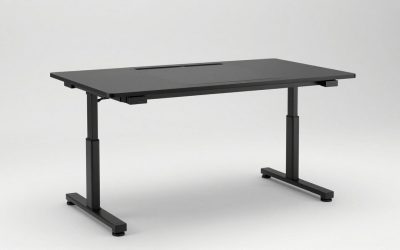
Key takeaways
- Best Overall: FlexiSpot E6 MAX 72 x 30
- Best Value for Width: Mount-It 72 inch Dual Motor Standing Desk
- Best with Keyboard Tray: EUREKA ERGONOMIC 72 inch Standing Desk
- Best Premium: UPLIFT V3 Bamboo 72 x 30
- Best Deep Surface: FlexiSpot 71 x 32 Dual Motor Standing Desk
- Best Budget Wide Desk: VIVO 71 x 30 Dual Motor Standing Desk
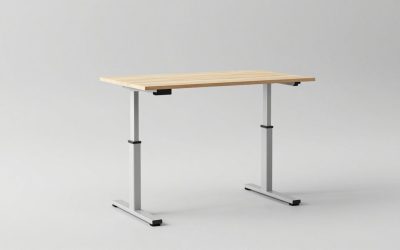
The best standing desk for multiple monitors is a dual-motor model that is at least 70 inches wide, 30 inches deep and rated for 200 lb or more, because the monitors, arms and cables add up faster than most people expect. The FlexiSpot E6 MAX in the 72 x 30 size is our top pick thanks to its 352 lb frame rating and a height range that reaches about 50 inches. The Mount-It 72 inch Dual Motor desk is the runner-up for people who want the same width at a friendlier price tier.
Multi-monitor setups ask more of a standing desk than a laptop does. The surface has to physically fit the screens, the lift system has to carry the extra weight smoothly, and the frame has to stay steady when you raise a tall stack of equipment to standing height. This guide starts with the math (screen widths, desk depth, load) and then compares six desks that can plausibly carry two or three displays. It is a research-based guide; we did not personally use these desks, and specs come from manufacturer pages and listing details. Anything we could not confirm is marked “not listed”.
Our top picks


As an Amazon Associate we earn from qualifying purchases at no extra cost to you.
Top Picks at a Glance
- Best Overall: FlexiSpot E6 MAX 72 x 30
- Best Value for Width: Mount-It 72 inch Dual Motor Standing Desk
- Best with Keyboard Tray: EUREKA ERGONOMIC 72 inch Standing Desk
- Best Premium: UPLIFT V3 Bamboo 72 x 30
- Best Deep Surface: FlexiSpot 71 x 32 Dual Motor Standing Desk
- Best Budget Wide Desk: VIVO 71 x 30 Dual Motor Standing Desk
Monitor Width Math: How Wide a Desk You Really Need
Screen sizes are quoted on the diagonal, but desks are measured left to right. For a standard 16:9 screen the width is about 87 percent of the diagonal, and for a 21:9 ultrawide it is about 92 percent. Add roughly one inch of gap per monitor so the bezels do not touch, and leave 4 to 6 inches at the ends for arms and cables. The table below turns screen sizes into the minimum desk width you should start from.
| Setup | Approx. total screen width | Minimum desk width | Recommended depth |
|---|---|---|---|
| Two 24 in monitors | About 42 in | 48 in | 24 to 27 in |
| Two 27 in monitors | About 48 in | 55 to 60 in | 27 to 30 in |
| Two 32 in monitors | About 56 in | 63 to 66 in | 30 in |
| Three 24 in monitors | About 63 in | 66 to 72 in | 27 to 30 in |
| Three 27 in monitors | About 71 in | 72 in or wider, plus a monitor wall mount | 30 in |
| One 34 in ultrawide plus one 24 in | About 52 in | 60 to 66 in | 30 in |
Depth is the number people forget. A 27 inch monitor on a stand takes 8 to 10 inches of depth by itself, and you need roughly 20 to 30 inches between your eyes and the screens. A desk that is only 24 inches deep forces the monitors very close to your face, which is why the larger setups in this guide all start at 29 to 32 inches. If your desk is shallow, a monitor arm that clamps to the back edge reclaims several inches.
Load Math: What a Multi-Monitor Desk Actually Carries
Add the weights before you shop. A typical 27 inch monitor weighs about 8 to 12 lb without its stand, a 32 inch about 12 to 20 lb, and a 34 inch ultrawide 15 to 25 lb; your monitor manual lists the exact figure. A gas-spring arm adds 3 to 6 lb, a laptop 3 to 5 lb, a dock or hub 1 to 2 lb, and speakers 4 to 10 lb. A three-monitor desk with a laptop and speakers can therefore weigh 60 to 100 lb. Keep the total at or below about half of the rated lift capacity: this keeps the motors quiet and the lift smooth, and it protects you from the fact that capacity ratings are often quoted under ideal conditions.
Comparison Table
| Product | Best for | Key specs | Watch for | Price tier |
|---|---|---|---|---|
| FlexiSpot E6 MAX 72 x 30 | Heavy three-screen setups | Dual motor, 3-stage, 352 lb frame, about 24.4 to 50 in | Confirm the MAX variant before ordering | Mid-range to Premium |
| Mount-It 72 in Dual Motor | Value width | 72 x 29.5 in, 29.3 to 48.2 in, 220 lb, 3 presets | High minimum height | Mid-range |
| EUREKA 72 in with keyboard tray | Typists, streamers | 72 x 30 in, about 29 to 48 in, 220 lb desktop, 4 presets | Shelf weight limit is only 44 lb | Premium |
| UPLIFT V3 Bamboo 72 x 30 | Long-term investment | 2-leg frame lifts 355 lb, 21.6 to 47.7 in | Top costs extra, ceiling under 48 in | Premium |
| FlexiSpot 71 x 32 Dual Motor | Deep multi-screen use | 71 x 32 in, dual motor, 198 lb capacity | Height range not listed in the title | Mid-range |
| VIVO 71 x 30 Dual Motor | Lowest cost wide desk | 71 x 30 in top, dual motor, holds 220 lb | Height range not listed; 3-piece top has seams | Mid-range |
1. FlexiSpot E6 MAX 72 x 30: Best Overall
- Size: 72 x 30 inches (also sold in 60 x 30 and 71 x 30)
- Dual motor, three-stage lifting system, presets and anti-collision
- Frame rating of 352 lb on listings
- Height range about 24.4 to 50.0 inches on listings (confirm per variant)
- Bamboo and solid wood top options
Best for: Three monitors, a PC on the desk, or any setup that will weigh more than 80 lb. Skip if: your room cannot take a 72 inch desk or you want a one-box assembly.
The E6 MAX earns the top spot because it is built for load. A 352 lb frame rating leaves room for a three-monitor wall mount, a laptop and a speaker pair, and still leaves you under the half-capacity guideline above. The three-stage legs also keep the desk steadier at full height than a two-stage frame, which matters when a tall monitor stack raises the center of gravity. The extended range, about 24.4 to 50 inches, suits both shorter and very tall users.
One caution: FlexiSpot sells several E6 variants with different ranges and capacities (the older E6 is rated at 220 lb), so read the title for the MAX label and the desktop size before ordering. Plan an hour for assembly and check that the box fits through your doorway; large tops ship in two cartons.
Pros: highest load rating in this group, wide height range, many top options, presets and anti-collision. Cons: assembly takes longer than one-piece desks, confusing variants, big boxes.
2. Mount-It 72 Inch Dual Motor Standing Desk: Best Value for Width
- Top: 72 x 29.5 x 1 inch MDF
- Height range: 29.3 to 48.2 inches
- Capacity: 220 lb including the top
- Two motors, two-stage legs, three presets, anti-collision
- Noise below 50 dB, speed 1 inch per second, limited lifetime warranty
Best for: Two or three 24 to 27 inch monitors on arms, for average to tall users. Skip if: you are shorter than about 5 ft 3 in or want a lower minimum height.
This desk gives you the full 72 inch width without the premium price tier. The 220 lb capacity is sufficient for the loads in the table above as long as you stay near half of it. With a 29.5 inch depth you can push two 27 inch monitors back enough to sit comfortably, and the one-inch top is thick enough for most clamp-style monitor arms.
The limitation is the two-stage frame: the 29.3 inch minimum is high for short users and the 48.2 inch maximum is adequate but not generous for people over 6 ft 4 in. If that describes you, move up to the E6 MAX.
Pros: large top, clear specs, lifetime warranty advertised, anti-collision. Cons: MDF edges chip, two-stage legs wobble more at full height with heavy loads, high minimum height.
3. EUREKA ERGONOMIC 72 Inch Standing Desk: Best with Keyboard Tray
- Top: 72 x 30 inch wing-shaped desktop
- Dual motor, four memory presets, anti-collision
- Height range about 29 to 48 inches on most listings
- Desktop capacity of 220 lb; the shelves hold 44 lb
- Adjustable keyboard tray, 28.38 x 9.8 inches, with tilt and swivel
Best for: Writers, coders, streamers and anyone who wants a keyboard tray and LED shelf included. Skip if: you want a plain rectangular desk or plan to put heavy equipment on the shelves.
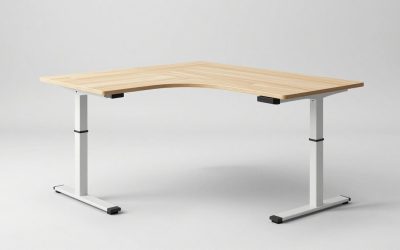
The wing shape gives you a curved front edge that brings the center monitor closer than a straight edge would, and the keyboard tray lets the keyboard sit lower than the desktop so that you can raise the monitors without raising your hands. These are the two details that matter on a multi-monitor desk, because the monitors usually want to be higher than the keyboard.
Eureka sells several 72 inch variants with slightly different specs (some listings show a shallower range), so double-check the model number against the listing you buy.
Pros: keyboard tray and shelves included, curved edge, four presets. Cons: shelf limit of 44 lb, heavy, tray reduces leg room for tall users.
4. UPLIFT V3 Bamboo 72 x 30: Best Premium
- Top: 72 x 30 inch bamboo, 2-leg V3 C-frame
- Frame lift capacity 355 lb (2-leg), height range 21.6 to 47.7 inches
- Advanced keypad with presets, wire grommets, and optional accessories
- Long warranty advertised by the maker
Best for: People who want a desk they can keep for a decade and customise with monitor arms, grommets and a cable tray. Skip if: you are over about 6 ft 3 in or want to keep the budget low.
UPLIFT is the brand most often named by independent reviewers for build quality, and the V3 frame is rated at 355 lb, which leaves more than enough headroom for a multi-monitor setup. The bamboo top is dense and stiff, which keeps the front edge from sagging when you rest your forearms on it. The price rises quickly once you add a top, a cable tray and a monitor arm, so work out the full cost before comparing against the Mount-It.
Pros: strong frame, high-quality top options, extensive accessories, long warranty. Cons: premium price, ceiling just under 48 inches, accessories add up.
5. FlexiSpot 71 x 32 Dual Motor Standing Desk: Best Deep Surface
- Top: 71 x 32 inches
- Dual motor electric lift
- 198 lb capacity on listings
- Multi-monitor workspace per the listing; height range not listed in the title
Best for: Large or curved monitors that need extra depth. Skip if: you need a verified height range for a very tall or very short user.
The standout number is the 32 inch depth: two extra inches over a 30 inch desk can be the difference between a 32 inch monitor sitting comfortably and sitting too close. The capacity of 198 lb is solid for two or three monitors on arms. Because the range is not stated in the listing title, check the product page before ordering if you are at either end of the height scale.
Pros: deepest top in the group, dual motor, reasonable cost. Cons: lower capacity than the E6 MAX, range not stated in the listing title.
6. VIVO 71 x 30 Dual Motor Standing Desk: Best Budget Wide Desk
- Top: solid 3-piece 71 x 30 inch top
- Dual motor, holds 220 lb according to the listing
- Extra-deep top; height range not listed in the title
- Black top, presets on the controller
Best for: Two monitors and a laptop on a small budget. Skip if: you want a seamless top or a long warranty from a premium brand.
VIVO is one of the most common budget-friendly standing desk makers. The dual-motor 71 inch version costs less than the premium brands but gives up the thicker top and the lifetime-style warranties. It is a sensible choice for a first multi-monitor desk if you accept that a three-piece top has seams that can collect crumbs, and that the frame should be loaded conservatively.
Pros: lowest cost for a wide dual-motor desk, extra-deep top, solid frame. Cons: seams in the top, range not listed, fewer finish options.
Also Consider
- Mount-It Dual Monitor Electric Standing Desk Converter: sits on an existing desk and holds two screens up to 32 inches; useful if you already own a large desk.
- VIVO Standing Desk Converter with Dual Monitor Stand, 48 inch: a lower-cost converter whose listing says the desktop holds 33 lb.
- Perlegear Dual Monitor Stand with Power Strip: a free-standing riser for two screens up to 32 inches that does not need a clamp, handy on thin tops.
- SANODESK 72 inch dual motor desk: a three-stage frame at a mid-range tier; capacity and range are not listed in the title.
How We Chose
This guide is research-based. We did not personally use these desks. We began with desks that are currently sold in the product store used by this site, filtered for tops of 70 inches or wider and dual-motor frames, and then read manufacturer pages, retailer spec sheets and independent write-ups for height range, capacity and warranty. When specs conflicted between sources (for example the Eureka height range varies by variant), we noted the difference. We prioritised stated capacity and width over styling because monitor count is the deciding factor on this page. Prices appear only as tiers because street prices change frequently.
Buying Guide: What Matters for Multi-Monitor Standing Desks
Width and depth first
Use the table above to set the width. A 60 inch desk handles two 27 inch monitors, while three screens need 70 inches or more. For depth, 30 inches is the working minimum for 27 inch and larger monitors, and 32 inches is better for curved displays and for people with long arms who like the screens farther away.
Dual motors and three-stage legs
Single-motor frames lift less and slow down under load. For multi-monitor setups, choose dual motors; a three-stage frame is a bonus for stability and range because the extra stage supports the desk at full height, where wobble is most noticeable. Two-stage dual-motor frames, like the Mount-It, are acceptable when the load is moderate.
Top thickness and material
A 1 to 1.25 inch top resists sag and holds clamp-style monitor arms firmly. Thin tops under 0.8 inch can flex around a clamp, and a three-piece top may have small seams. Bamboo and laminate over particleboard are both common; bamboo is stiffer, while laminate is easier to wipe.
Monitor mounting method
Clamp arms need a solid back edge. Grommet mounts need a hole you may have to drill. Wall-style or freestanding stands avoid both, but they use depth. Check that the desk’s crossbar does not collide with the arm clamp; this is a common issue on desks with a rear support beam.
Cable management
Three monitors mean at least six cables plus power. Look for a rear cable tray or a grommet hole, and leave a few inches of slack so the cables follow the desk as it rises. A power strip fixed under the desk, rather than on the floor, avoids tugging.
Layout Plans for Two and Three Screens
Two screens: centered pair or main plus side
If you split your attention evenly between two monitors, center the seam between them on your body and angle each screen inward by about 20 to 30 degrees. If one is the main screen, put it straight ahead and place the second off to the side, which keeps your neck rotation small. On a 60 inch desk this leaves about 6 inches of space at each end for a lamp or a speaker. Because the screens sit on arms, you can set them an inch or two lower than usual for standing and the arm will hold that position as the desk rises and falls.
Three screens: wall of displays or a center-and-wings layout
Three equal monitors create a wide arc, so the desk depth matters more than ever. With three 24 inch screens, a 30 inch deep desk allows the wings to curve toward you without leaving the outer edges unusable. With three 27 inch screens you are at roughly 71 inches of screen width, which is why a 72 inch top is the realistic minimum. If your room is smaller, a single 34 inch ultrawide plus one portrait-oriented 24 inch monitor delivers a similar amount of workspace in about 52 inches.
Cable and power plan
Each monitor needs power and a video cable, and a dock adds another. Group the cables into one sleeve with a few inches of slack, run it along a rear cable tray, and use a surge-protected strip mounted under the desk. After you raise the desk to its full height, check that nothing is pulled tight: a cable that is snug at the sitting height will be tugged by the motors at the standing height, and the anti-collision system may stop the lift because it senses the extra resistance.
Height planning for tall stacks
A monitor on an arm adds 15 to 20 inches above the desktop. At a tall desk height of 48 inches, the top of the screen can sit near 65 inches from the floor, which may collide with shelves, a ceiling fan or a sloped ceiling. Measure from the floor to the lowest obstruction above the desk, subtract the desktop’s maximum height, and compare the remainder with the monitor height; if the remaining gap is under 20 inches, use shorter monitors or a lower arm position.
Common Mistakes
- Buying a 60 inch desk for three 27 inch monitors; the screens will overhang the edges.
- Ignoring depth; a 24 inch deep desk puts large screens too close.
- Hanging heavy shelves or speakers from the desk and forgetting that the weight counts against the rating.
- Forgetting the arm’s clamp range and top thickness before ordering.
Frequently Asked Questions
How wide should a standing desk be for two monitors?
For two 24 inch monitors, 48 inches is enough, and for two 27 inch monitors choose 55 to 60 inches. Add a few inches if you use a keyboard tray or speakers.
Can a standing desk hold three monitors?
Yes, if the desk is at least 70 inches wide and rated for 200 lb or more. The FlexiSpot E6 MAX and UPLIFT V3 both have frame ratings well above that.
Will monitors wobble when I type on a standing desk?
Some movement is normal at full height. Dual-motor, three-stage frames, thick tops and a lower center of gravity (monitors on arms rather than tall stands) reduce it.
Should I get a monitor arm or use the stands that came with the screens?
Arms free up depth and let you set the height precisely, which is helpful on a multi-monitor desk. Use the stands if your desk top is too thin to clamp.
Is a standing desk converter enough for multiple monitors?
Converters can hold two screens, but the surface is smaller and lift capacity is lower. For three monitors, a full desk is usually the better choice.
How high should the monitors be when I stand?
The top edge of the main screen should be near eye level so you look slightly down. Raise the desk to your elbow height first, then adjust the arms.
Do I need to worry about weight limits if I use arms?
Yes. Count the arm, monitors, laptop and accessories toward the rating and stay near half of the stated capacity for smooth operation.
Which One Should You Buy?
Choose the FlexiSpot E6 MAX if you want the highest load rating and the widest range. Choose the Mount-It 72 inch for the same width at a lower tier, as long as you are average to tall. Pick the EUREKA if a keyboard tray and curved edge are important. Pick the UPLIFT V3 if you plan to keep the desk for years and want the best accessory support. The FlexiSpot 71 x 32 is the right answer for big monitors that need extra depth, and the VIVO 71 x 30 is the budget route if you accept a seamed top. Whichever you pick, measure the screens, add the weights, and confirm the exact variant before ordering.
Sources
- FlexiSpot E6 MAX product listings
- Mount-It manufacturer page for the 72 inch dual motor standing desk
- EUREKA ERGONOMIC 72 inch standing desk listings
- UPLIFT Desk V3 frame specification sheet
- Monitor dimension tables from major display makers
Last updated: October 2026